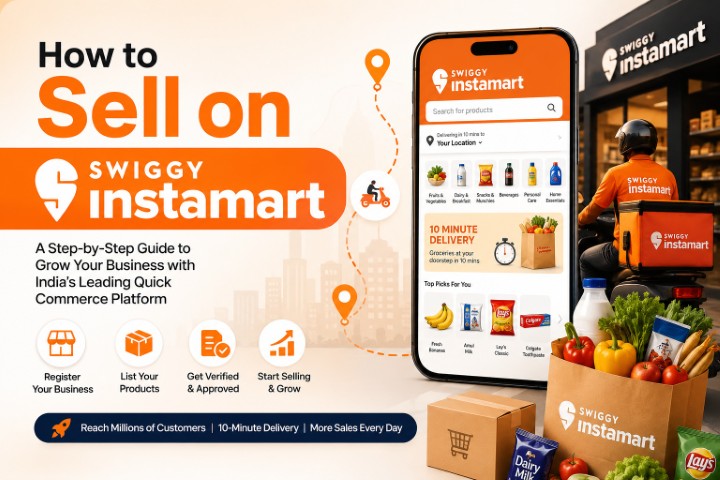
Why Sell on Blinkit?
In today's fast-paced world, customers want their daily essentials delivered quickly. From groceries and snacks to personal care products and household supplies, quick-commerce platforms have changed how people shop.
**Blinkit** is one of India's well-known quick-commerce platforms, connecting customers with a wide range of products through its app. For manufacturers, consumer brands, and eligible businesses, selling on Blinkit can provide an opportunity to reach customers through a quick-commerce channel.
If you're wondering **how to sell on Blinkit**, this guide will walk you through the process step by step.
Whether you own an FMCG brand, manufacture packaged food, distribute household products, or run a consumer goods business, understanding Blinkit's seller onboarding process is an important first step.
Blinkit provides an official Seller Hub for brands interested in listing products. However, the platform's seller model should not be confused with its separate partner-store program. Businesses should apply through the official channel and confirm the requirements for their product category.
In this article, we'll cover the documents you may need, how to approach registration, how to prepare your product catalogue, how Blinkit's fees work, and practical ways to manage your business.
## Why Should You Consider Selling on Blinkit?
Selling through a quick-commerce platform may help businesses explore a new sales channel.
Here are some potential benefits.
### 1. Reach Customers Through a Quick-Commerce Platform
Blinkit connects customers with products through its app and fulfillment network. Brands accepted onto the platform may gain access to customers shopping for everyday essentials.
### 2. Expand Your Distribution Network
Manufacturers, FMCG brands, and consumer product businesses can explore quick commerce alongside other sales channels, such as traditional retail, their own websites, and other marketplaces.
### 3. Improve Product Visibility
Products listed on the platform can be discovered by customers in the areas served by the platform, subject to availability, product placement, and other factors.
### 4. Explore New Sales Opportunities
A presence on a quick-commerce platform may help a brand test customer demand and expand its distribution strategy.
However, listing approval, sales volume, visibility, and profitability aren't guaranteed.
---
## Requirements to Become a Blinkit Seller
Before applying, prepare your business information and review the requirements for your product category.
The exact onboarding requirements depend on Blinkit's current policies and your business arrangement.
### Business Registration
Keep your business registration details ready, along with your PAN and applicable GST registration information.
GST requirements depend on the nature of the business and the products being sold.
### Product Eligibility
Blinkit carries products across various categories, including groceries, packaged food, beverages, personal care, and household essentials.
Acceptance depends on the platform's current category requirements and product approval process.
### Product and Brand Information
Prepare your brand name, product details, product photographs, barcodes where applicable, and other requested information.
### Bank Account Details
Keep your business banking information ready for verification and settlement arrangements.
### Consistent Inventory
Make sure your business can manage stock levels and replenish inventory according to the agreed supply process.
**Important:** This is a general preparation checklist, not a complete official Blinkit document list. Confirm the current requirements directly through the official Seller Hub.
---
## Step-by-Step Process to Start Selling on Blinkit
### Step 1: Register Through the Official Blinkit Seller Hub
The first step in learning how to sell on Blinkit is to visit its official seller platform.
**Official website:** https://seller.blinkit.com/
Follow these general steps:
1. Visit the official Blinkit Seller Hub.
2. Review the seller registration and onboarding instructions.
3. Enter the requested business and contact information.
4. Provide the details of your brand and products.
5. Submit the required documents and information.
6. Complete any verification or onboarding steps requested by Blinkit.
The exact process may change. Follow the instructions displayed on the official portal.
Blinkit states that brands should use its Seller Hub and warns against unauthorized listing agents. https://blinkit.com/brands
### Step 2: Complete Business Verification
After submitting your application, follow the verification process provided by Blinkit.
Depending on the arrangement, the company may request additional business documents, product information, or other details.
Keep your business information accurate and respond to requests promptly.
Approval is subject to Blinkit's requirements and isn't guaranteed.
### Step 3: Prepare Your Product Catalogue
A professional product catalogue helps organize your products and the information needed for product onboarding.
For each product, prepare:
* Product name
* Brand name
* Product category
* SKU or product identification code
* Barcode or GTIN, where applicable
* Product size, weight, and dimensions
* MRP and proposed selling price
* Product images
* Ingredients or material details, where applicable
* Applicable product labels and compliance information
Make sure all information is accurate and consistent with the product packaging.
### Step 4: Review Product Approval Requirements
Once your product information is ready, follow Blinkit's instructions for product approval and listing.
The company may require additional information depending on the category.
For packaged food, for example, product labeling and applicable food safety requirements are important.
For personal care products, accurate ingredients, usage information, and applicable compliance details may be required.
Don't assume that submitting a catalogue automatically makes products available for sale.
### Step 5: Understand Fees and Commercial Terms
Before proceeding, review the fees and commercial terms that apply to your products.
Blinkit's official Seller Hub identifies several possible charges, including inwarding, storage, fulfillment, and category commission. Product-specific charges can be reviewed through the Seller Hub. https://seller.blinkit.com/fees-commission
Ask for clarification on:
* Applicable fees and charges
* Product pricing
* Inventory and storage arrangements
* Payment and settlement terms
* Returns and damaged inventory
* Supply and replenishment requirements
Calculate your costs before finalizing the arrangement.
### Step 6: Plan Inventory and Fulfillment
After your products are approved, follow the inventory and fulfillment process specified by Blinkit.
Depending on the seller arrangement, inventory may be handled through Blinkit's fulfillment network.
Maintain accurate stock records and ensure that your business can meet the agreed supply requirements.
### Step 7: Monitor Performance and Improve
Once your products are active, review the information available through the seller platform.
Track:
* Sales performance
* Inventory availability
* Product pricing
* Applicable fees
* Returns and damaged products
* Product availability across locations
Use the available information to identify operational issues and improve your product and inventory planning.
---
## Documents Required to Sell on Blinkit
The exact document checklist should be confirmed through the official Seller Hub.
The following documents are commonly useful when preparing a business application.
| Document | Purpose |
| ------------------------------------------ | ------------------------------------ |
| PAN card | Business identification |
| GST registration certificate | Tax registration, where applicable |
| Business registration documents | Business verification |
| Bank account details | Payment and settlement arrangements |
| Brand ownership or authorization documents | Brand verification, where applicable |
| Product catalogue | Product information |
| Product images and packaging details | Product review |
| Applicable licenses and certifications | Regulatory compliance |
| Product price list | Commercial planning |
For food products, confirm whether FSSAI registration or licensing and other food safety requirements apply.
For other product categories, check the relevant regulatory requirements before applying.
---
## How to Create a Professional Blinkit Product Catalogue
A clear product catalogue is an important part of preparing your business for online selling.
Good product data helps ensure that buyers and customers can understand what you're offering.
### Write Clear Product Titles
Use product names that clearly describe the item.
**Example:**
Instead of:
"Best Quality Premium Namkeen Special Offer"
Use:
"Masala Namkeen, 200 g Pack"
The second title is more direct and communicates the product type and pack size.
### Create Accurate Product Descriptions
A product description should include the most important information about the item.
For packaged food, this may include:
* Product name and flavor
* Net quantity
* Ingredients
* Allergen information, where applicable
* Storage instructions
* Shelf-life information
* Manufacturer details
* Applicable food labeling information
Always follow the applicable labeling rules and the platform's requirements.
### Use High-Quality Product Images
Product images should clearly show the actual product and its packaging.
Include:
1. A clear front-facing image.
2. Additional views where useful.
3. Accurate packaging and quantity information.
4. Clear product labels.
5. Consistent image quality across the catalogue.
Avoid misleading images or unsupported product claims.
---
## Blinkit Seller Fees and Commission
Understanding fees is essential before starting a business on Blinkit.
Blinkit's official fee information identifies the following types of charges:
| Fee Type | What It Means |
| --------------------- | ---------------------------------------------------- |
| Inwarding fee | Charge for receiving inventory |
| Storage fee | Charge for storing unsold inventory |
| Fulfillment fee | Charge related to order fulfillment |
| Category commission | Commission based on product category and pricing |
| Customer return fee | May apply to certain seller-attributed returns |
| Inventory removal fee | May apply when inventory is removed from the network |
The exact charges depend on the seller's products and commercial arrangement. Blinkit provides a fee and commission calculator through its Seller Hub. https://seller.blinkit.com/fees-commission
Before making a decision, calculate your product costs, applicable fees, taxes, and expected margins.
---
## Tips to Grow Your Business on Blinkit
Once your products are approved, focus on maintaining product quality, inventory accuracy, and sustainable pricing.
### 1. Focus on Relevant Products
Choose products that fit your business capabilities and the needs of your target customers.
Review your product range regularly and identify items that are suitable for the platform.
### 2. Maintain Accurate Inventory
Keep stock records updated and plan replenishment based on actual demand and agreed supply timelines.
Accurate inventory information helps reduce avoidable stock-related problems.
### 3. Keep Product Information Updated
Review product names, images, specifications, and packaging details whenever a product changes.
Accurate information helps prevent confusion and supports better catalogue management.
### 4. Plan Pricing Carefully
Consider product costs, packaging, logistics, applicable fees, and other expenses before setting prices.
Avoid pricing decisions that reduce profitability without a clear business reason.
### 5. Monitor Product Performance
Use the available seller information to understand which products are selling and where improvements may be needed.
Look for patterns in sales, stock availability, and returns.
### 6. Maintain Product Quality
Conduct regular quality checks and ensure that products meet applicable safety and labeling requirements.
Consistent quality helps support customer trust.
---
## Common Mistakes to Avoid When Selling on Blinkit
### Assuming Approval Is Guaranteed
Submitting an application doesn't guarantee that your brand or products will be approved.
Follow the official onboarding process and wait for confirmation.
### Ignoring Fees
Failure to account for storage, fulfillment, commission, and other applicable charges can affect profitability.
Review the official fee information before finalizing your commercial plan.
### Using Inaccurate Product Information
Incorrect product titles, pack sizes, images, or labeling details can create problems during product review and after listing.
Keep product data accurate and consistent.
### Working With Unauthorized Listing Agents
Blinkit warns against unauthorized listing agents and states that brands should use its official Seller Hub. https://blinkit.com/brands
Use official channels and be cautious about anyone promising guaranteed approval or asking for suspicious payments.
### Poor Inventory Planning
Insufficient stock, inaccurate inventory records, and delayed replenishment can disrupt your business operations.
Maintain a clear inventory management process.
---
## How StyleMyCatalog Can Help Your Business
**StyleMyCatalog** supports businesses with e-commerce catalogue preparation and digital business services.
If you're planning to sell products on Blinkit, organizing your product information is an important step in preparing your business for online sales.
StyleMyCatalog can help with catalogue-related preparation, including:
* Product title and description writing
* Product catalogue creation
* Product image preparation
* Product data organization
* E-commerce catalogue management
* Marketplace-related catalogue support
A professional catalogue can help you organize product information and prepare for the onboarding requirements of different sales channels.
However, Blinkit seller approval and commercial arrangements are handled directly by Blinkit.
**Visit StyleMyCatalog:** https://stylemycatalog.in/
---
## Frequently Asked Questions (FAQs)
### 1. How to sell on Blinkit in India?
Visit the official Blinkit Seller Hub, review the registration requirements, submit your business information, and follow the product onboarding process. Approval depends on Blinkit's current requirements.
### 2. Does Blinkit have an official seller registration portal?
Yes. Blinkit provides an official Seller Hub at https://seller.blinkit.com/ for brands interested in listing products.
### 3. What documents are required to sell on Blinkit?
Potential sellers should prepare business identification, applicable tax registration details, bank information, product catalogues, and relevant product compliance documents. The exact checklist must be confirmed through the official Seller Hub.
### 4. Can small businesses sell on Blinkit?
Businesses can explore the official seller onboarding process if their products and business arrangements meet Blinkit's requirements. Approval isn't guaranteed.
### 5. Does Blinkit charge commission?
Blinkit lists category commission and other possible charges, including inwarding, storage, and fulfillment fees. Exact charges depend on the product and seller arrangement.
### 6. Can I sell my own brand on Blinkit?
Brands can explore product listing through the official Seller Hub. Blinkit states that it works directly with brands and warns against unauthorized listing agents.
### 7. Does Blinkit provide delivery services?
Blinkit's quick-commerce operations use its fulfillment and delivery network. The exact inventory and fulfillment responsibilities depend on the seller's arrangement.
### 8. Can StyleMyCatalog register my products on Blinkit?
StyleMyCatalog can help with product catalogue preparation and related e-commerce support. Seller registration, approval, and commercial arrangements must be completed directly through Blinkit's official channels.
### 9. Is GST registration mandatory for selling on Blinkit?
GST requirements depend on the business structure, product category, and applicable tax rules. Confirm your obligations with a qualified tax professional and Blinkit.
### 10. How long does Blinkit seller registration take?
The timeline depends on the application, verification, product category, and onboarding requirements. Confirm the expected timeline through the official Seller Hub.
---
## Conclusion: Start Your Blinkit Selling Journey With StyleMyCatalog
Learning **how to sell on Blinkit** starts with understanding the official seller onboarding process, preparing your business documents, organizing your product catalogue, and reviewing the applicable fees and commercial terms.
For brands and manufacturers, quick commerce may provide an additional distribution channel. However, successful operations require accurate product data, reliable inventory planning, sustainable pricing, and compliance with applicable regulations.
If you're preparing your products for online selling, **StyleMyCatalog can help you organize your product catalogue and prepare your product information for e-commerce channels.**
Visit https://stylemycatalog.in/ to explore catalogue-related services and take the next step in preparing your business for online growth.
In today's fast-paced world, customers want their daily essentials delivered quickly. From groceries and snacks to personal care products and household supplies, quick-commerce platforms have changed how people shop.
**Blinkit** is one of India's well-known quick-commerce platforms, connecting customers with a wide range of products through its app. For manufacturers, consumer brands, and eligible businesses, selling on Blinkit can provide an opportunity to reach customers through a quick-commerce channel.
If you're wondering **how to sell on Blinkit**, this guide will walk you through the process step by step.
Whether you own an FMCG brand, manufacture packaged food, distribute household products, or run a consumer goods business, understanding Blinkit's seller onboarding process is an important first step.
Blinkit provides an official Seller Hub for brands interested in listing products. However, the platform's seller model should not be confused with its separate partner-store program. Businesses should apply through the official channel and confirm the requirements for their product category.
In this article, we'll cover the documents you may need, how to approach registration, how to prepare your product catalogue, how Blinkit's fees work, and practical ways to manage your business.
## Why Should You Consider Selling on Blinkit?
Selling through a quick-commerce platform may help businesses explore a new sales channel.
Here are some potential benefits.
### 1. Reach Customers Through a Quick-Commerce Platform
Blinkit connects customers with products through its app and fulfillment network. Brands accepted onto the platform may gain access to customers shopping for everyday essentials.
### 2. Expand Your Distribution Network
Manufacturers, FMCG brands, and consumer product businesses can explore quick commerce alongside other sales channels, such as traditional retail, their own websites, and other marketplaces.
### 3. Improve Product Visibility
Products listed on the platform can be discovered by customers in the areas served by the platform, subject to availability, product placement, and other factors.
### 4. Explore New Sales Opportunities
A presence on a quick-commerce platform may help a brand test customer demand and expand its distribution strategy.
However, listing approval, sales volume, visibility, and profitability aren't guaranteed.
---
## Requirements to Become a Blinkit Seller
Before applying, prepare your business information and review the requirements for your product category.
The exact onboarding requirements depend on Blinkit's current policies and your business arrangement.
### Business Registration
Keep your business registration details ready, along with your PAN and applicable GST registration information.
GST requirements depend on the nature of the business and the products being sold.
### Product Eligibility
Blinkit carries products across various categories, including groceries, packaged food, beverages, personal care, and household essentials.
Acceptance depends on the platform's current category requirements and product approval process.
### Product and Brand Information
Prepare your brand name, product details, product photographs, barcodes where applicable, and other requested information.
### Bank Account Details
Keep your business banking information ready for verification and settlement arrangements.
### Consistent Inventory
Make sure your business can manage stock levels and replenish inventory according to the agreed supply process.
**Important:** This is a general preparation checklist, not a complete official Blinkit document list. Confirm the current requirements directly through the official Seller Hub.
---
## Step-by-Step Process to Start Selling on Blinkit
### Step 1: Register Through the Official Blinkit Seller Hub
The first step in learning how to sell on Blinkit is to visit its official seller platform.
**Official website:** https://seller.blinkit.com/
Follow these general steps:
1. Visit the official Blinkit Seller Hub.
2. Review the seller registration and onboarding instructions.
3. Enter the requested business and contact information.
4. Provide the details of your brand and products.
5. Submit the required documents and information.
6. Complete any verification or onboarding steps requested by Blinkit.
The exact process may change. Follow the instructions displayed on the official portal.
Blinkit states that brands should use its Seller Hub and warns against unauthorized listing agents. https://blinkit.com/brands
### Step 2: Complete Business Verification
After submitting your application, follow the verification process provided by Blinkit.
Depending on the arrangement, the company may request additional business documents, product information, or other details.
Keep your business information accurate and respond to requests promptly.
Approval is subject to Blinkit's requirements and isn't guaranteed.
### Step 3: Prepare Your Product Catalogue
A professional product catalogue helps organize your products and the information needed for product onboarding.
For each product, prepare:
* Product name
* Brand name
* Product category
* SKU or product identification code
* Barcode or GTIN, where applicable
* Product size, weight, and dimensions
* MRP and proposed selling price
* Product images
* Ingredients or material details, where applicable
* Applicable product labels and compliance information
Make sure all information is accurate and consistent with the product packaging.
### Step 4: Review Product Approval Requirements
Once your product information is ready, follow Blinkit's instructions for product approval and listing.
The company may require additional information depending on the category.
For packaged food, for example, product labeling and applicable food safety requirements are important.
For personal care products, accurate ingredients, usage information, and applicable compliance details may be required.
Don't assume that submitting a catalogue automatically makes products available for sale.
### Step 5: Understand Fees and Commercial Terms
Before proceeding, review the fees and commercial terms that apply to your products.
Blinkit's official Seller Hub identifies several possible charges, including inwarding, storage, fulfillment, and category commission. Product-specific charges can be reviewed through the Seller Hub. https://seller.blinkit.com/fees-commission
Ask for clarification on:
* Applicable fees and charges
* Product pricing
* Inventory and storage arrangements
* Payment and settlement terms
* Returns and damaged inventory
* Supply and replenishment requirements
Calculate your costs before finalizing the arrangement.
### Step 6: Plan Inventory and Fulfillment
After your products are approved, follow the inventory and fulfillment process specified by Blinkit.
Depending on the seller arrangement, inventory may be handled through Blinkit's fulfillment network.
Maintain accurate stock records and ensure that your business can meet the agreed supply requirements.
### Step 7: Monitor Performance and Improve
Once your products are active, review the information available through the seller platform.
Track:
* Sales performance
* Inventory availability
* Product pricing
* Applicable fees
* Returns and damaged products
* Product availability across locations
Use the available information to identify operational issues and improve your product and inventory planning.
---
## Documents Required to Sell on Blinkit
The exact document checklist should be confirmed through the official Seller Hub.
The following documents are commonly useful when preparing a business application.
| Document | Purpose |
| ------------------------------------------ | ------------------------------------ |
| PAN card | Business identification |
| GST registration certificate | Tax registration, where applicable |
| Business registration documents | Business verification |
| Bank account details | Payment and settlement arrangements |
| Brand ownership or authorization documents | Brand verification, where applicable |
| Product catalogue | Product information |
| Product images and packaging details | Product review |
| Applicable licenses and certifications | Regulatory compliance |
| Product price list | Commercial planning |
For food products, confirm whether FSSAI registration or licensing and other food safety requirements apply.
For other product categories, check the relevant regulatory requirements before applying.
---
## How to Create a Professional Blinkit Product Catalogue
A clear product catalogue is an important part of preparing your business for online selling.
Good product data helps ensure that buyers and customers can understand what you're offering.
### Write Clear Product Titles
Use product names that clearly describe the item.
**Example:**
Instead of:
"Best Quality Premium Namkeen Special Offer"
Use:
"Masala Namkeen, 200 g Pack"
The second title is more direct and communicates the product type and pack size.
### Create Accurate Product Descriptions
A product description should include the most important information about the item.
For packaged food, this may include:
* Product name and flavor
* Net quantity
* Ingredients
* Allergen information, where applicable
* Storage instructions
* Shelf-life information
* Manufacturer details
* Applicable food labeling information
Always follow the applicable labeling rules and the platform's requirements.
### Use High-Quality Product Images
Product images should clearly show the actual product and its packaging.
Include:
1. A clear front-facing image.
2. Additional views where useful.
3. Accurate packaging and quantity information.
4. Clear product labels.
5. Consistent image quality across the catalogue.
Avoid misleading images or unsupported product claims.
---
## Blinkit Seller Fees and Commission
Understanding fees is essential before starting a business on Blinkit.
Blinkit's official fee information identifies the following types of charges:
| Fee Type | What It Means |
| --------------------- | ---------------------------------------------------- |
| Inwarding fee | Charge for receiving inventory |
| Storage fee | Charge for storing unsold inventory |
| Fulfillment fee | Charge related to order fulfillment |
| Category commission | Commission based on product category and pricing |
| Customer return fee | May apply to certain seller-attributed returns |
| Inventory removal fee | May apply when inventory is removed from the network |
The exact charges depend on the seller's products and commercial arrangement. Blinkit provides a fee and commission calculator through its Seller Hub. https://seller.blinkit.com/fees-commission
Before making a decision, calculate your product costs, applicable fees, taxes, and expected margins.
---
## Tips to Grow Your Business on Blinkit
Once your products are approved, focus on maintaining product quality, inventory accuracy, and sustainable pricing.
### 1. Focus on Relevant Products
Choose products that fit your business capabilities and the needs of your target customers.
Review your product range regularly and identify items that are suitable for the platform.
### 2. Maintain Accurate Inventory
Keep stock records updated and plan replenishment based on actual demand and agreed supply timelines.
Accurate inventory information helps reduce avoidable stock-related problems.
### 3. Keep Product Information Updated
Review product names, images, specifications, and packaging details whenever a product changes.
Accurate information helps prevent confusion and supports better catalogue management.
### 4. Plan Pricing Carefully
Consider product costs, packaging, logistics, applicable fees, and other expenses before setting prices.
Avoid pricing decisions that reduce profitability without a clear business reason.
### 5. Monitor Product Performance
Use the available seller information to understand which products are selling and where improvements may be needed.
Look for patterns in sales, stock availability, and returns.
### 6. Maintain Product Quality
Conduct regular quality checks and ensure that products meet applicable safety and labeling requirements.
Consistent quality helps support customer trust.
---
## Common Mistakes to Avoid When Selling on Blinkit
### Assuming Approval Is Guaranteed
Submitting an application doesn't guarantee that your brand or products will be approved.
Follow the official onboarding process and wait for confirmation.
### Ignoring Fees
Failure to account for storage, fulfillment, commission, and other applicable charges can affect profitability.
Review the official fee information before finalizing your commercial plan.
### Using Inaccurate Product Information
Incorrect product titles, pack sizes, images, or labeling details can create problems during product review and after listing.
Keep product data accurate and consistent.
### Working With Unauthorized Listing Agents
Blinkit warns against unauthorized listing agents and states that brands should use its official Seller Hub. https://blinkit.com/brands
Use official channels and be cautious about anyone promising guaranteed approval or asking for suspicious payments.
### Poor Inventory Planning
Insufficient stock, inaccurate inventory records, and delayed replenishment can disrupt your business operations.
Maintain a clear inventory management process.
---
## How StyleMyCatalog Can Help Your Business
**StyleMyCatalog** supports businesses with e-commerce catalogue preparation and digital business services.
If you're planning to sell products on Blinkit, organizing your product information is an important step in preparing your business for online sales.
StyleMyCatalog can help with catalogue-related preparation, including:
* Product title and description writing
* Product catalogue creation
* Product image preparation
* Product data organization
* E-commerce catalogue management
* Marketplace-related catalogue support
A professional catalogue can help you organize product information and prepare for the onboarding requirements of different sales channels.
However, Blinkit seller approval and commercial arrangements are handled directly by Blinkit.
**Visit StyleMyCatalog:** https://stylemycatalog.in/
---
## Frequently Asked Questions (FAQs)
### 1. How to sell on Blinkit in India?
Visit the official Blinkit Seller Hub, review the registration requirements, submit your business information, and follow the product onboarding process. Approval depends on Blinkit's current requirements.
### 2. Does Blinkit have an official seller registration portal?
Yes. Blinkit provides an official Seller Hub at https://seller.blinkit.com/ for brands interested in listing products.
### 3. What documents are required to sell on Blinkit?
Potential sellers should prepare business identification, applicable tax registration details, bank information, product catalogues, and relevant product compliance documents. The exact checklist must be confirmed through the official Seller Hub.
### 4. Can small businesses sell on Blinkit?
Businesses can explore the official seller onboarding process if their products and business arrangements meet Blinkit's requirements. Approval isn't guaranteed.
### 5. Does Blinkit charge commission?
Blinkit lists category commission and other possible charges, including inwarding, storage, and fulfillment fees. Exact charges depend on the product and seller arrangement.
### 6. Can I sell my own brand on Blinkit?
Brands can explore product listing through the official Seller Hub. Blinkit states that it works directly with brands and warns against unauthorized listing agents.
### 7. Does Blinkit provide delivery services?
Blinkit's quick-commerce operations use its fulfillment and delivery network. The exact inventory and fulfillment responsibilities depend on the seller's arrangement.
### 8. Can StyleMyCatalog register my products on Blinkit?
StyleMyCatalog can help with product catalogue preparation and related e-commerce support. Seller registration, approval, and commercial arrangements must be completed directly through Blinkit's official channels.
### 9. Is GST registration mandatory for selling on Blinkit?
GST requirements depend on the business structure, product category, and applicable tax rules. Confirm your obligations with a qualified tax professional and Blinkit.
### 10. How long does Blinkit seller registration take?
The timeline depends on the application, verification, product category, and onboarding requirements. Confirm the expected timeline through the official Seller Hub.
---
## Conclusion: Start Your Blinkit Selling Journey With StyleMyCatalog
Learning **how to sell on Blinkit** starts with understanding the official seller onboarding process, preparing your business documents, organizing your product catalogue, and reviewing the applicable fees and commercial terms.
For brands and manufacturers, quick commerce may provide an additional distribution channel. However, successful operations require accurate product data, reliable inventory planning, sustainable pricing, and compliance with applicable regulations.
If you're preparing your products for online selling, **StyleMyCatalog can help you organize your product catalogue and prepare your product information for e-commerce channels.**
Visit https://stylemycatalog.in/ to explore catalogue-related services and take the next step in preparing your business for online growth.